Naomi-AI: AI-Driven Guidance Counselor
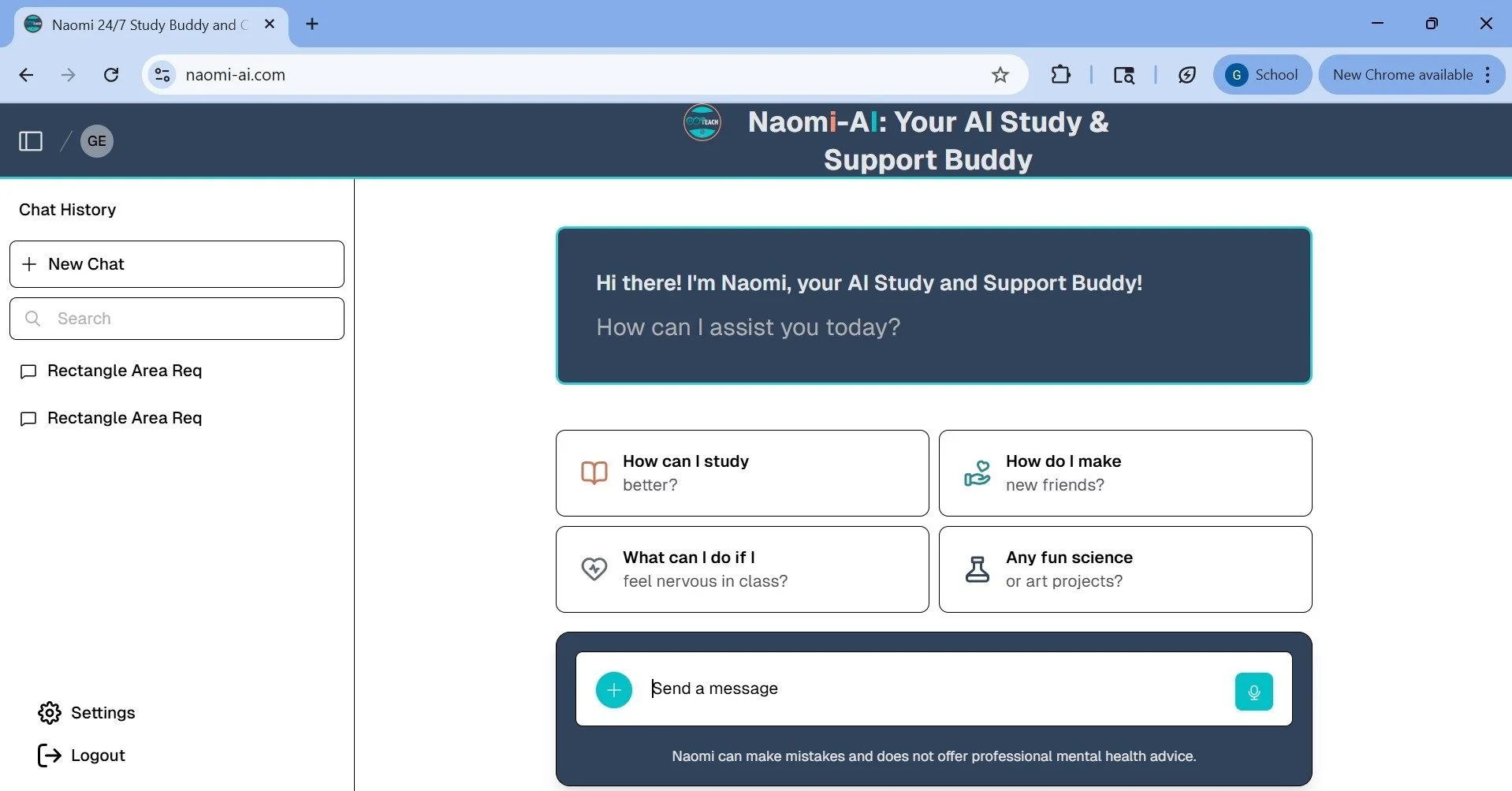
Improved AI response quality and user experience through UX research, accessibility, and prompt design, increasing performance by 15.9%, UX rating to 85.6%, and helpfulness to 88.9%.
Role: UX Designer & UX Research Lead, Accessibility Specialist, AI Prompt Engineer
Client: 24/7 Teach (E-Learning)
Duration: August 2023-May 2024
Tools: Google Forms Survey, Squarespace, Figma
Programming Language: Python
Background
Naomi-AI is an AI-powered guidance counselor designed to provide students with real-time academic, career, and social-emotional support.
Overview
Led the design and improvement of Naomi-AI, an AI-driven guidance counselor addressing limited access to school counseling. By combining UX research, usability testing, and prompt engineering, I enhanced response quality, usability, and accessibility, resulting in measurable improvements in user experience and system performance.
Accessibility
Integrated accessibility into Naomi-AI to ensure students with diverse needs could effectively interact with the platform.
Key Enhancements
Voice-to-text for speech-based input
Text scaling & spacing for readability
High contrast & visual controls
Simplified navigation for assistive tech and keyboard use
Testing & Improvements
Tested with UserWay accessibility widget
Fixed compatibility issues with assistive tools
Addressed “Bigger Text” limitations (used zoom + layout adjustments)
Reduced cognitive load through layout improvements
Impact
Reduced accessibility barriers
Improved readability and usability
Increased overall user satisfaction
Result
Post-iteration usability testing showed measurable improvements in Naomi-AI’s performance and user experience:
+15.9% improvement in overall response quality (academic subjects)
8.56 / 10 average user experience rating
8.89 / 10 average helpfulness score
User Impact
Improved accuracy and clarity of AI-generated responses
Increased user confidence in academic and career guidance
Higher likelihood of continued use and peer recommendation
Product Improvements Driven by Testing
Structured responses with bullet points and step-by-step guidance
Added functional links to resources
Improved readability and reduced cognitive load
Process
I divided the UX project into 4 phases: Discover, Define, Develop, and Deliver.
Phase I : Discovery
1. Problem & Opportunity
This quote from “Student-to-Counselor Ratio: Striking the Right Balance for Student Support,” an article written by Emily Steffek on June 19, 2023, further explains the situation addressing the alarming student-to-counselor ratios of 2022-2023 school year :
“The American School Counselor Association (ASCA) recommends 250 students per school counselor (250:1). This ratio allows the implementation of compressive school counseling programs so that counselors can effectively deliver developmentally appropriate services and meet the academic, career, and personal/social support needs of students…. Recent data from ASCA covering the 2021-2022 school year puts the national average ratio of student-to-counselor at 408:1. This figure is by far the lowest ratio since 1986 when the ASCA began monitoring these ratios across the United States.”
Problem
Students lack access to timely, personalized college and career counseling due to high student-to-counselor ratios, resulting in limited guidance and support.
Opportunity
Design an AI-powered solution to provide scalable, real-time guidance that supports students across academic, career, and social-emotional needs.
2. Competitive Analysis
Analyzed leading AI tools, ChatGPT and Google Bard, to inform Naomi-AI’s design.
Adopted conversational UI patterns for familiarity
Designed a structured chat experience for clarity and usability
Integrated 24/7 Teach branding for consistency
ChatGPT (Desktop Version) and (Mobile Version)
ChatGPT vs Bard
Bard (Desktop Version) and (Mobile Version)
Phase II: Define
1. Designing the User Interface of Naomi (Version I)
Version I of Naomi, shown below, incorporates 24/7 Teach brand elements and UI elements from both ChatGPT and Google Bard. Naomi greets users with 4 prompts and provides a text bar for asking questions. Additionally, there are buttons for users to express their preferences ("Like," "Dislike," and "Regenerate"). Like ChatGPT, Naomi distinguishes between the user's and the AI's responses by using different background colors for each: answers from Naomi appear in light blue. In contrast, responses from the user have a white background. Naomi also features a collapsible toolbar that allows users to create, search, and reopen chats. Like Google Bard, the search bar, "New Chat," and recent chat buttons are different colors than Naomi's chosen bluewood border color.
Naomi (Version I) Desktop
Naomi (Version I) Mobile
2. Designing the User Interface of Naomi (Version II)
Naomi (Version I) Desktop
Naomi (Version II) Desktop
Naomi (Version I) Mobile
Naomi (Version II) with Accessibility Features
Naomi (Version II) Mobile
In Version II of the interface, Naomi's response is aligned to the left while the user's reply is aligned to the right, creating a natural conversation flow. I replaced the "menu" and "send" icons with more familiar and modern variations, and the toolbar is now a dark gray color, contrasting with the dark blue border. The chat buttons have a stylish and minimalist appearance with dark gray color and white outlines, unlike the multicolor buttons in Version I. Moreover, users can access their profile and modify their settings via the toolbar, which was impossible in the previous mode.
3. Increasing Accessibility to Naomi (Version II)
Naomi (Version II) with Accessibility Features labled
Naomi’s design was upgraded with four additional features to boost accessibility for physically impaired audiences:
Notification: To inform users when 24/7 Teach receives and answers their questions.
Voice to Text: Use the device’s microphone to record the user’s voice and transform it into text for the text box.
Accessibility: Enable users of other features like night mode and text enlargement.
Help: Get the user access to the 24/7 Teach Support team.
Phase III: Develop
After finalizing Naomi's user interface (UI) design and receiving approval from the Chief Executive Officer (CEO) of 24/7 Teach, I created design documentation and handed it over to the software development team for implementation. During this phase of Naomi's development, my role shifted from a UX designer to a AI Prompt Engineer and UX Research Lead. This was due to my expertise in full stack engineering and machine learning, which was required to train and test the artificial intelligence of Naomi.
1. Training Naomi
The software team implemented Naomi's final UI on the 24/7 Teach website. My responsibilities as the prompt engineer included determining the questions learners would ask Naomi, input answers to these prompts in Naomi’s database using Python, and determine whether Naomi was ready to coach the teen and professional learners at 24/7 Teach successfully.

Naomi on the 24/7 Teach Website
2. Accessibility Widget Testing
Naomi used the UserWay accessibility widget to make the web application more inclusive for visually impaired users. I tested the widget's efficiency and documented which UI elements must be altered to accommodate its features.
The widget has the following twelve features:
Contrast+: Has three modes: Light Contrast, Dark Contrast, and Invert Colors. Increase the contrast of each site’s element to improve overall visibility for the audience.
Highlight Links: Detect and highlight links in Naomi’s responses.
Bigger Text: Increase the application’s font size in four increments: Bigger Text 1-4.
Text Spacing: Increase spacing between each text with Light, Moderate, and Heavy Spacing.
Pause Animations: Speeds interactions from Naomi by removing animations between them.
Hide Images: Decrease load time by removing images on the website.
Dyslexia Friendly: There are two modes of Dyslexia Friendly: Dyslexia Friendly and Legible Fonts. Use UserWay’s Dyslexia-Friendly Font to make words easier to read for a dyslexic audience. Convert the original font to Arial with Legible Fonts.
Cursor: It has three modes: Big Cursor, Reading Mask, and Reading Mode. Create a cursor to help readers read line-by-line responses provided by Naomi.
Tooltips: Provide small details to be altered for assistance with tools for clients.
Line Length: Increase line spacing to 1.5x, 1.75x, and 2x for improved readability.
Text Align: Change the text alignment (Left, Right, and Center).
Saturation: Increase, decrease, and remove color saturation for the web application for better visibility.
Below is a slideshow of the widget’s features on Naomi. After finalizing the test, I documented that the buttons must be flattened into one layer and not declared images in JavaScript. I instructed the developer team to create a tooltip to inform online viewers to use Line Length and their browser’s zoom function as an alternative to Bigger Text since Bigger Text cuts the page.

Without Widget

Desaturation

High Saturation
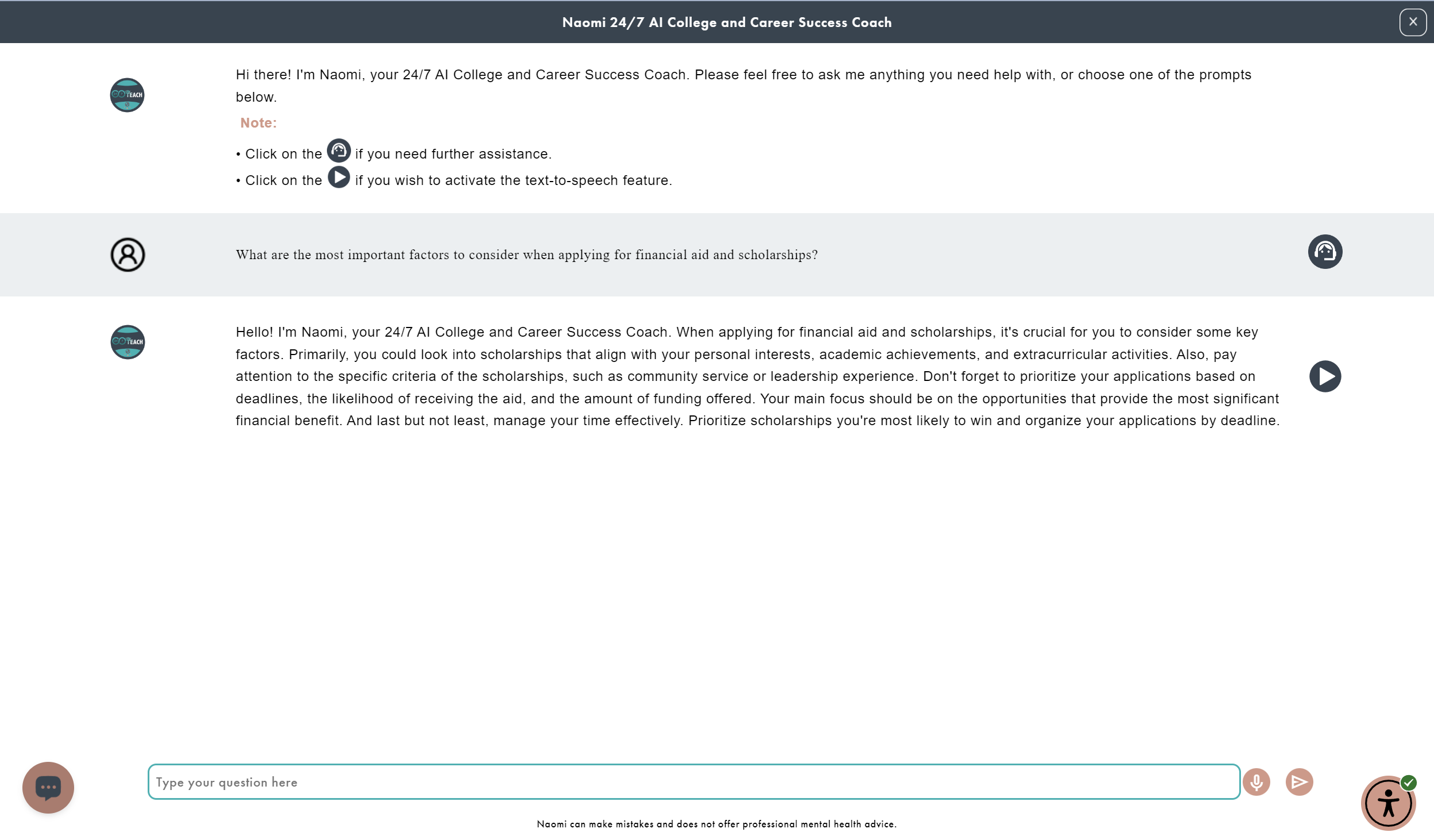
Low Saturation
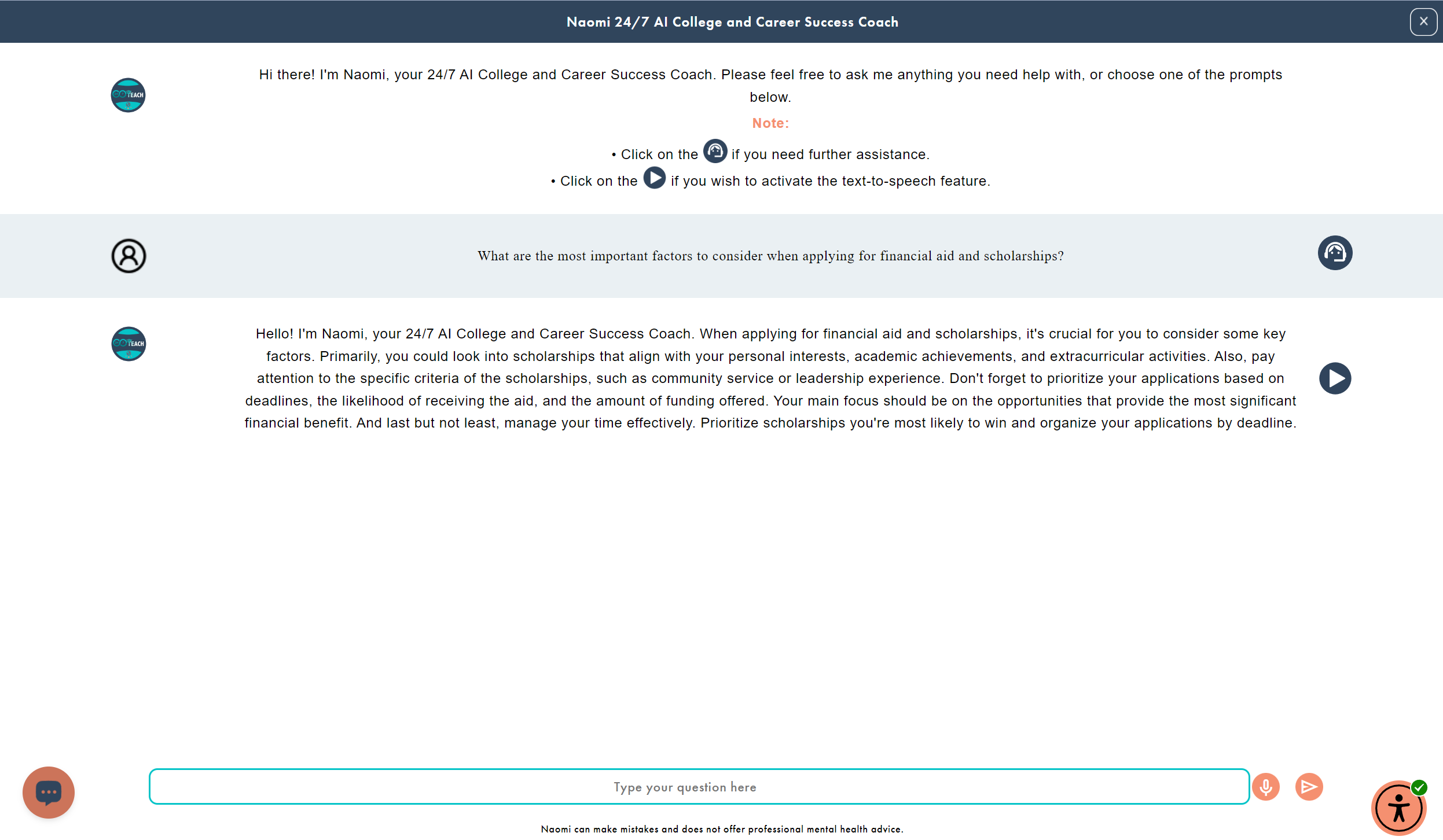
Center Text Alignment

Line Length (2x)

Large Cursor

Reading Guide

Reading Mask
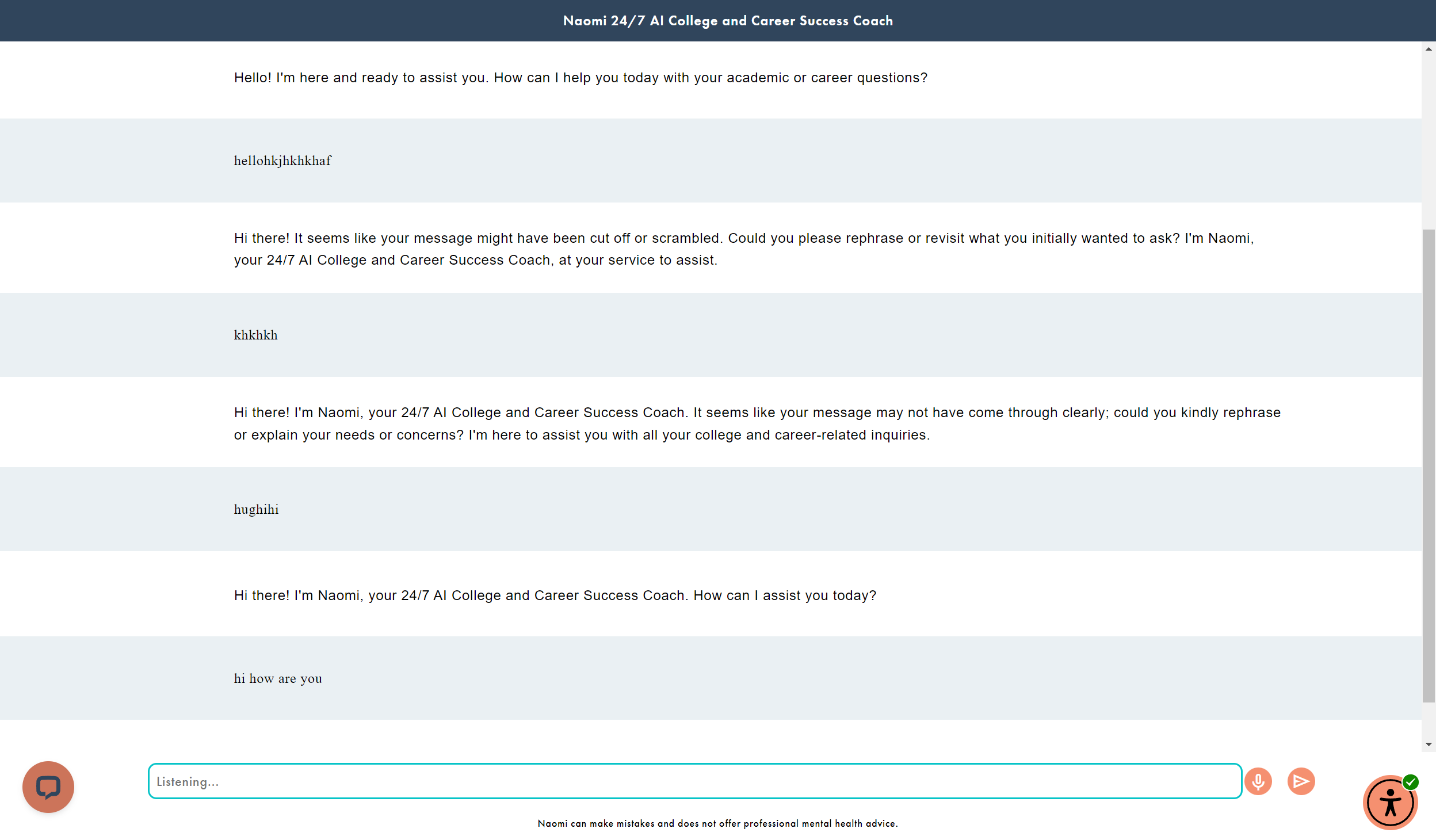
Remove Images
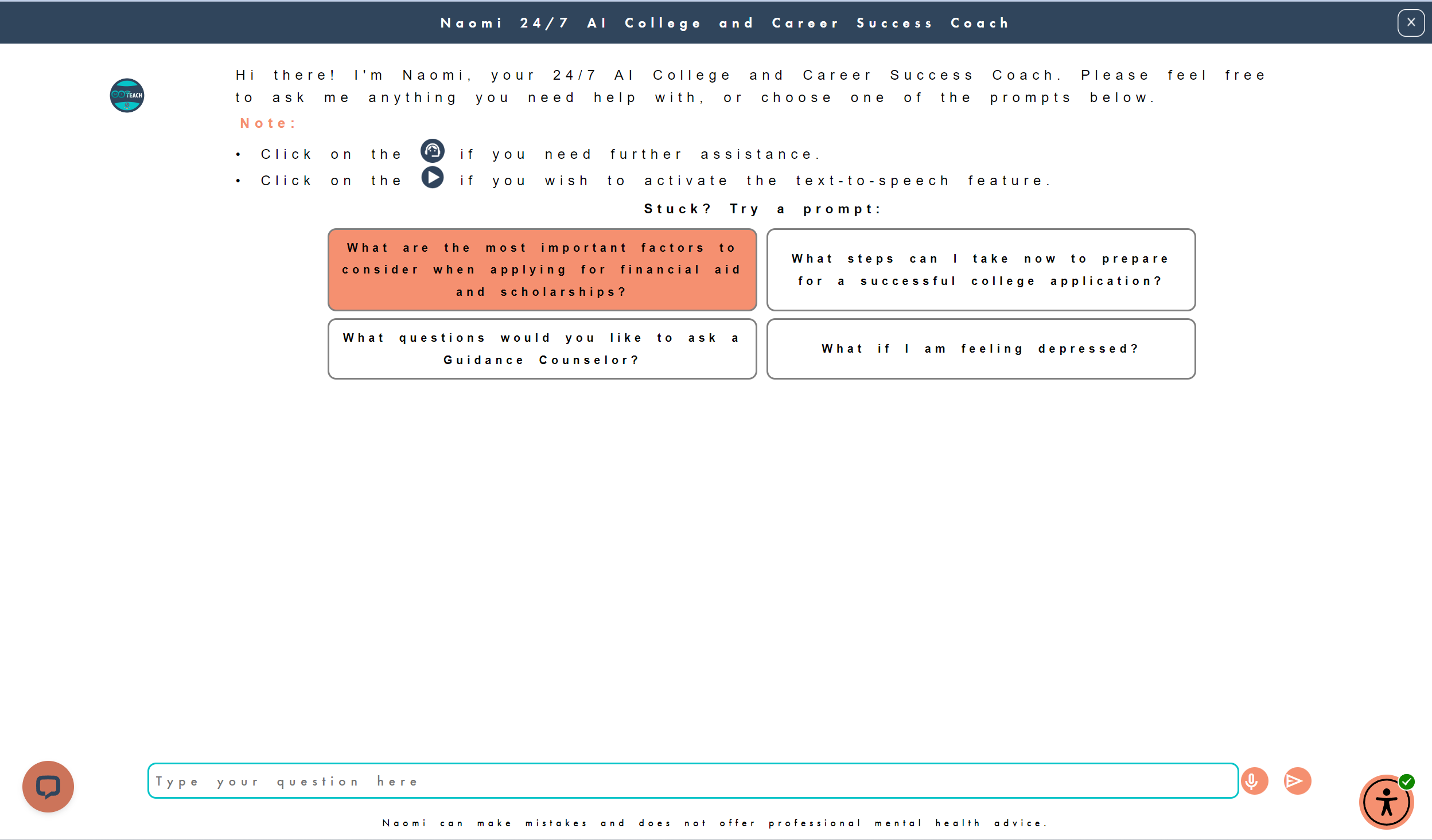
Heavy Spacing

Highlight Links

Light Contrast

Bigger Text 4

Dark Contrast
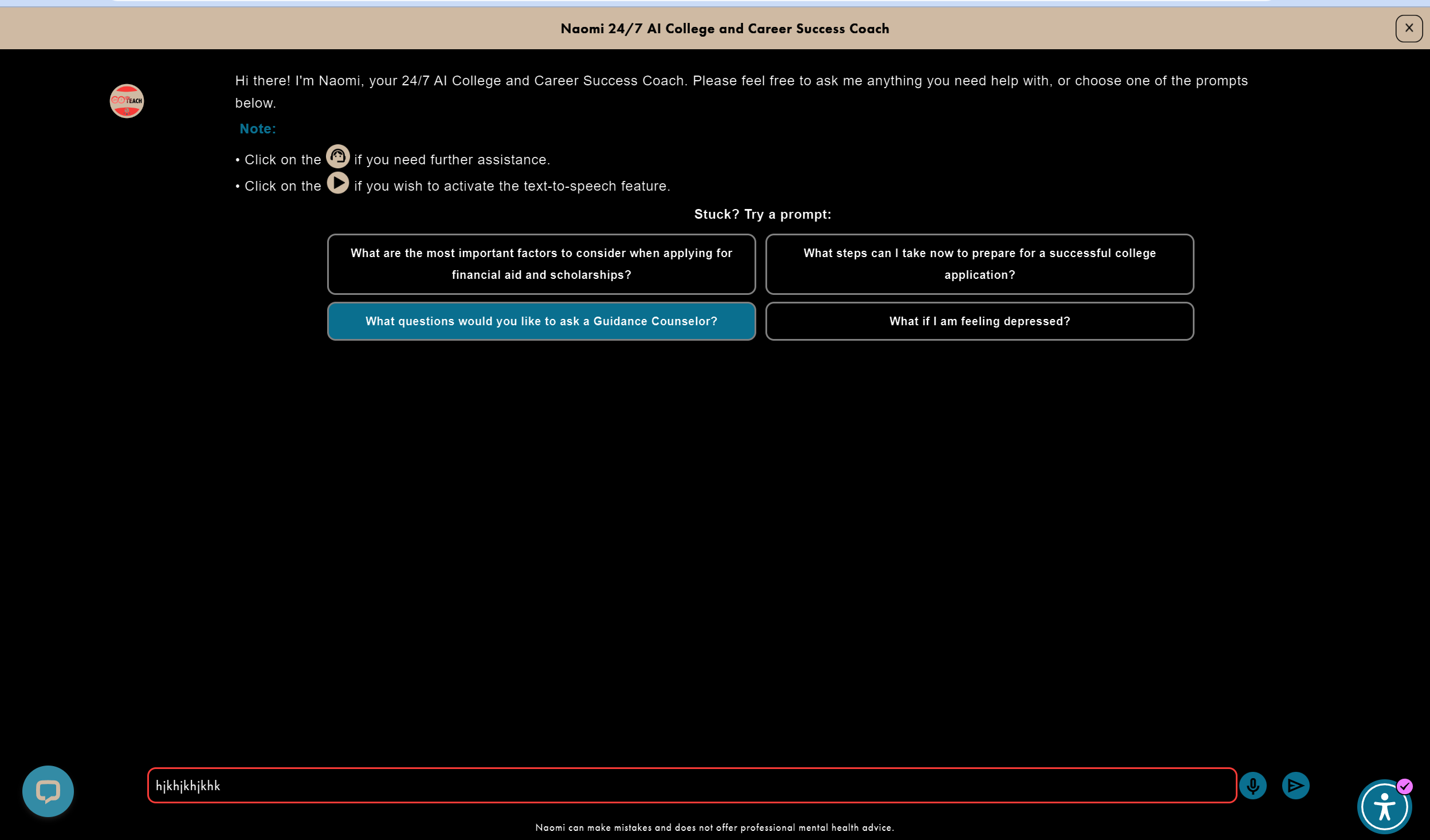
Invert Colors
3. Naomi’s Usability Testing 1
3a. Objective
Our goal is to improve the user and learning experience of 24/7 Teach's learners by evaluating Naomi's ability to meet their specific needs with and without initial guidance from 24/7 Teach. I will also monitor how students use Naomi on a daily basis to answer academic, social-emotional, and career-related queries.
3b. Methodology
Conducted usability testing with 9 high school students to evaluate Naomi-AI’s response quality and user experience.
Participants: 9 students enrolled in a 24/7 Teach program
Duration: 1 week
Method:
Phase 1 (Unassisted): Moderated session where students asked Naomi questions without guidance
Phase 2 (Assisted): Week-long independent use with prompt guidance
Focus Areas:
Academic subjects, social-emotional support, college counseling, and career guidance
Prompt Guidance (Training Intervention)
Provided users with simple strategies to improve AI interactions:
Be clear and specific
Provide context
Break down complex questions
Use examples and follow-ups
3c. Metrics
How High School Students Rated Naomi’s Responses for Math, Science, History, and English Questions on a Scale from 1-10
Metrics: The metrics above show how the high school participants scored Naomi on a scale from 1 to 10 for Math, Science, History, and English questions. The blue charts represent the data from the first survey when the students did not receive AI training before using Naomi, while the purple charts represent the second survey completed at the end of the week with AI training.
Observation: Naomi received better scores with homework assistance in humanities subjects than in Science, Technology, Engineering, and Mathematics (STEM) subjects. However, the ranking for History slightly improved after receiving AI training, while the score for English declined narrowly. I concluded that Naomi perform best with fact-based humanities like History.
How High School Students Rated Naomi’s Responses for Social-Emotional, College Counseling, and Career Planning Questions on a Scale from 1-10
Metrics: The metrics above display how the high school participants scored Naomi on a scale from 1 to 10 for Social-Emotional, College Counseling, and Career Planning questions. The blue charts display the data gathered in the initial survey, where students utilized Naomi without prior AI training. In contrast, the purple charts illustrate the findings of the subsequent survey conducted at the week's conclusion following AI training.
Observation: Naomi received high scores for social-emotional, college counseling, and career planning advice, with average rankings of 8/10.
3d. Conclusion
The percentage of participants who would use Naomi everyday
The percentage of participants who would refer Naomi to a friend
In conclusion, as shown above, a majority of the high school participants would use Naomi every day for homework, social-emotional, college, and career counseling. Additionally, they would refer Naomi to a friend.
Successes
User Testimonies
“The steps to finding the solution to the question are clear, concise, and accurate. Naomi even tells you the appropriate formula that you should use, and the steps are numbered.“
“I love this answer, especially the first guide about affirming friendship. As to social-emotional response, it provides deep understanding and empathy.“
“10 [out of 10], a really solid response that doesn't just summarize the events in the novel, but also offers questions to the user to think about while examining the events and characters in conjunction to the main theme of the novel.”
“It gave a thoughtful answer that accounted for where one lived and the industry in which they worked, but also that there are more important things to consider, like job stability, work-life balance, and fulfillment.”
According to the above testimonials, Naomi successfully provides clear, concise solutions to math and science problems with step-by-step formulas. Naomi can put herself in the users' point of view and help them summarize literary sources and historical events. Lastly, Naomi empathizes with the users when they ask for guidance on nonacademic subjects, including interpersonal communications and career mobility.
Areas for Improvement
User Feedback
“It could be better if the response was structured and numbered/bulleted, rather than feeding the user a paragraph for an answer.“
“I think this AI can improve if they AI actually did the problems with us, and maybe provide a final answer.“
“It would a lot more efficient if Naomi incorporated working links to the resources that it names for the user, this could speed up user's experience, and make navigating to resources a lot easier.”
“ [diagram]: provide diagrams when the user asks for them because the guidance might not be helpful for someone who is a visual learner.”
Although the participants would refer Naomi to their peers, Naomi needs improvements in the following areas:
Problem 1: Text Blocks: Long Naomi's responses are presented in a block format without any spacing, which can cause cognitive overload for the reader.
Actionable Plan 1: Improve Readability: Program Naomi to use bullet points and numbering to break up responses for users.
Problem 2: Nonfunctioning Links: Naomi does not provide functioning links and assigns resources for users to search for themselves.
Actionable Plan 2: Expand Responses: Include links to educational resources and material directly into Naomi’s responses.
Problem 3: Incomplete/Incorrect Answers: Naomi either does not provide the final answer or misinterprets literary passages for open-ended questions.
Actionable Plan 3: Train Naomi Further: Prepare Naomi to answer accurately in simple language. Measure the performance of Naomi’s answers.
Problem 4: No Diagrams/Learning Graphics: Naomi does not generate diagrams or other learning visuals with her responses.
Actionable Plan 4: Enhance Naomi’s Functionality: Program Naomi to use complex algorithms and create visuals.
Lessons
I learned that the best way to observe the feasibility of your product is to perform a usability test with target clients without training materials first as the control. Then, provide training materials to the participants as an experimental variable, reiterate usability testing, and analyze the shift in opinions and behaviors after receiving the experimental variable. Lastly, I learned that having similar question formats between the initial and final usability testing ensures consistency in data visualizations between the two usability tests and feasible data analysis.
4. Naomi’s Usability Testing 2
4a. Objective
I aimed to evaluate and showcase the significant improvements made to Naomi-AI since Usability Test 1, demonstrating our commitment to enhancing its usability and user experience. Additionally, I wanted to evaluate the effectiveness of Naomi-AI’s instructional guides, which the instructional design team and I prepared.
4b. Methodology
I devised Usability Test 2 by recruiting 9 high schoolers from the previous usability test and asking them to complete a short remote synchronous (moderated) test over Zoom.
Target Users: 9 High Schoolers enrolled in a 24/7 Teach program
Duration: 1 Day
Tasks: We gave the 9 students instructional guides to complete the 2-hour synchronous (moderated) remote usability test via Zoom. The students provide feedback on their experience with the updated Naomi-AI by completing a short survey.
4c. Metrics
How High School Students Rated Naomi’s Responses for Math, Science, History, English, and Mental Health Questions on a Scale from 1-10 from the Initial Test in Usability Test 1 vs Usability Test 2
Metrics: The metrics above show how the high school participants scored Naomi on a scale from 1 to 10 for Math, Science, History, and English questions. The blue charts represent the data from the first survey in Usability Test 1 when the students did not receive AI training before using Naomi. In contrast, the Orange charts represent the survey from Usability Test 2, completed with an instructional guide of Naomi-AI provided by the research and instructional design team.
Observation: As shown above, Naomi-AI’s performance in answering academic subjects has significantly increased since the first test from Usability Test 1, while Naomi-AI’s overall score for answering mental health questions remained the same.
4d. Conclusions
Students’ Rating the Overall Experience and Helpfulness of Naomi-AI during Usability Test 2
During Usability Test 2, 9 high school students rated the overall user experience of the upgraded Naomi-AI as 8.56 out of 10. Additionally, Naomi received an overall helpfulness score of 8.89 out of 10.
Successes
Naomi-Ai’s Overall Rating in Usability Test 1 (Initial Test) vs Usability Test 2
The chart above shows that the overall rating increased by 15.9% for Math, 10.6% for Science, 7.4% for History, and 5.1% for English questions.
Lastly, the upgraded Naomi resolved three of the problems addressed in Usability Test 1:
Problem 1: Text Blocks: Long Naomi's responses are presented in a block format without any spacing, which can cause cognitive overload for the reader.
Solution 1: Naomi adds spacing between her responses to improve readability.
Problem 2: Nonfunctioning Links: Naomi does not provide functioning links and assigns resources for users to search for themselves.
Solution 2: Naomi has widgets to detect links provided in the response.
Problem 3: Incomplete/Incorrect Answers: Naomi either does not provide the final answer or misinterprets literary passages for open-ended questions.
Solution 3: With the upgrades, Naomi can answer accurately in all subjects and provide step-by-step instructions for arriving at the answers.
Areas for Improvement
Currently, Naomi is unable to use graphics and diagrams to explain answers. Students recommend Naomi provide additional resources, guiding questions, and clearer, step-by-step instructions without explicitly giving away the answer, ensuring a balance between guidance and self-discovery.
Lesson
Usability testing should be conducted in spaced-out series to allow developers time to improve the product's user experience, generate excitement among previous participants who are invested in the product, and enable researchers to observe the overall improvements in the product.
Phase IV: Delivery
Students’ Rating the Overall Experience and Helpfulness of Naomi-AI during Usability Test 2
Live Demo of Naomi-AI
Scoring 8.56/10 in overall user experience and 8.89/10 in helpfulness by our target customers, Naomi-AI Naomi-AI is launched on the 24/7 Teach website at this link. The live demo above demonstrates how a client can use Naomi-AI accessibility features to ask questions and receive accurate responses from Naomi-AI.
Naomi-AI’s features include:
Affordable real-time, personalized educational guidance on all academic subjects.
Customable Accessibility for optimal usability.
Regularly updated database on all student’s chosen career paths.